wajan4dAndroid & iOS App
We at wajan4d offer a mobile app to bring sportsbook, live-dealer casino, and slot gaming closer to users in supported jurisdictions. The app is available for Android devices via APK download and for iOS users through a web-based progressive app. Both paths provide the same account access, payment methods (e-wallet, mobile banking, local payment, online payment, e-wallet, mobile banking, local payment, online payment, e-wallet, mobile banking), and game coverage as our desktop platform.

- SHA256 Match
- Update
- and
Mobile-first access matters because many users in Jakarta, Surabaya, Bandung, and other regions prefer to manage their accounts, deposit funds, and place bets on their phones. Our app is designed to work smoothly on standard Android and iOS devices, with offline caching for faster load times and push notifications to alert you about account activity, withdrawal status, and live-game updates.
This guide walks you through downloading and installing the wajan4d app, setting up your account, and understanding the differences between app and browser access. We also cover device compatibility, common installation issues, and how we protect your data on mobile devices.
Download and Install the wajan4d App
We provide two installation paths for wajan4d. Android users can download the APK file directly from our platform and install it on their device. iOS users access wajan4d through a web-based app that works in Safari or any mobile browser—no App Store download required. Both methods give you full access to your account, all payment options, and our complete game library.

Installation Steps for wajan4d
-
1
Download the APK or open the web appStep 1
Android users: tap the download link above and save the APK file to your device. iOS users: bookmark or add the wajan4d web app to your home screen for quick access.
-
2
Install on your deviceStep 2
Android: open your file manager, locate the APK, and tap to install. You may need to enable "Unknown Sources" in your device settings. iOS: tap "Add to Home Screen" in Safari to create an app-like shortcut.
-
3
Create or log in to your wajan4d accountStep 3
New users: tap "Open account" and complete registration with your username, email, password, and mobile number. Existing users: enter your credentials to sign in.
-
4
Complete KYC verification and depositStep 4
Verify your identity using your ID document, then deposit via DANA, e-wallet, mobile banking, local payment, online payment, e-wallet, or bank transfer. Your account is ready to use once verification is complete.
App vs. Browser: Which Is Right for You on wajan4d
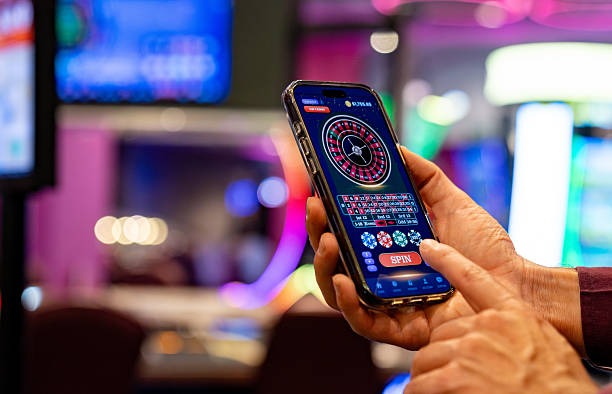
The wajan4d app and browser versions offer the same core features—sportsbook markets (Liga 1, Piala AFF, Champions League), live-dealer tables (blackjack, roulette, Dragon Tiger), slot games (Aviator, Sweet Bonanza, Gates of Olympus), and esports betting. The app, however, includes offline caching so you can view your account balance and recent activity even without an internet connection. Push notifications alert you to withdrawal confirmations, live-game updates, and account security events. The app also loads faster on slower connections because it stores frequently accessed data locally. Browser access is simpler—no installation required—and works on any device with a web browser, making it ideal if you switch between phones or use a tablet.
Device Compatibility for wajan4d
We at wajan4d support Android 7.0 and later on phones and tablets. iOS users need iOS 12.0 or later to access the web app smoothly. Most devices released in the past five years meet these requirements. If your device is older, you can still use wajan4d through a web browser on any device with an internet connection. We recommend at least 100 MB of free storage for the Android APK and a stable 4G or WiFi connection for the best experience, especially when accessing live-dealer tables or placing bets during peak tournament times like Liga 1 or Piala Indonesia matches.
Troubleshooting Common Installation Issues on wajan4d
If you encounter problems installing the wajan4d Android app, the most common cause is that "Unknown Sources" is disabled in your device settings. To fix this, go to Settings → Security → Unknown Sources and toggle it on. Some devices label this setting differently; search your settings for "Install from unknown sources" if you cannot find it. If the APK file fails to install, try clearing your device's cache (Settings → Apps → wajan4d → Storage → Clear Cache) and downloading the file again. For iOS users, if the web app does not load, clear your Safari cache (Settings → Safari → Clear History and Website Data) and try again. If you continue to experience issues, contact our support team via live chat and provide details about your device model and the error message you see.
Data, Permissions, and Account Security on wajan4d
The wajan4d app requests permission to access your device's camera (for identity verification during KYC), microphone (for live-chat support), and location (to verify you are in a supported jurisdiction). We do not share these permissions with third parties. All data transmitted between your device and our servers is encrypted using industry-standard TLS protocols. Your account credentials, payment information, and gaming history are stored securely and protected by two-factor authentication. We recommend enabling two-factor authentication in your account settings and using a strong, unique password. Never share your login credentials via email, SMS, or chat. If you suspect unauthorized access to your wajan4d account, change your password immediately and contact support.
Why Choose the wajan4d Mobile App
- Offline access: View your balance and account history without an internet connection thanks to local caching.
- Push notifications: Receive alerts about withdrawal status, live-game updates, and account security events in real time.
- Faster performance: The app loads faster on slower connections and provides a smoother experience during high-traffic periods.
- Full game access: All sportsbook markets, live-dealer tables, slots, and esports betting are available on the mobile app.
- Secure account management: Two-factor authentication, encrypted data, and KYC verification protect your account on mobile.